How does the internet work — the basics?
The internet is a global network of computers and other devices connected together and able to exchange information. Understanding how the internet works begins with a simple idea: when you load a webpage or send a message, your device is communicating with another computer somewhere in the world.
That communication happens through data packets. Rather than sending a file as one continuous stream, the internet breaks information into small chunks called packets. Each packet travels independently across the network and may take a different route to reach its destination. When all the packets arrive, they are reassembled in the correct order. This approach — known as packet switching — makes the internet far more efficient and resilient than sending data as a single continuous signal.
For two computers to exchange data over the internet, they need to follow agreed rules called protocols. The most important of these is TCP/IP — the Transmission Control Protocol and Internet Protocol. IP handles the routing of packets (making sure each one reaches the right destination), while TCP ensures all packets arrive correctly and requests any that are lost or corrupted to be resent.
All of this happens in fractions of a second. When you click a link, your device sends a request, the destination server receives it, breaks its response into packets, sends them back across the network, and your browser reassembles them into the page you see — typically in under a second. Learning how the internet works helps students understand not just computing, but the infrastructure that underlies nearly all modern communication.

Image: Generated with AI (Epivo)
What are IP addresses, URLs, and DNS?
Every device connected to the internet has a unique identifier called an IP address. An IP address works like a postal address for a computer — it tells the network exactly where to deliver data. Most IP addresses today look like four sets of numbers separated by dots, for example 192.168.1.1, though a newer format called IPv6 uses longer codes to accommodate the billions of devices now connected to the internet.
When you type a website address into your browser — for example, www.example.com — you are using a URL (Uniform Resource Locator). URLs are human-readable addresses that are much easier to remember than a string of numbers. However, computers actually communicate using IP addresses, not URLs. Something has to translate between the two.
That translation is handled by the Domain Name System, or DNS. The DNS works like the internet's phone book. When you type a URL, your device contacts a DNS server, which looks up the corresponding IP address and returns it. Your device then uses that IP address to contact the correct server and request the page.
Understanding IP addresses and DNS is part of the computing curriculum for students in grades 7 to 9 in Epivo's International Curriculum. These concepts explain not only how the internet works in normal use, but also how security vulnerabilities such as DNS spoofing can occur — where an attacker redirects you to a false website by tampering with the DNS lookup. This is one reason cybersecurity is such an important subject alongside networking.
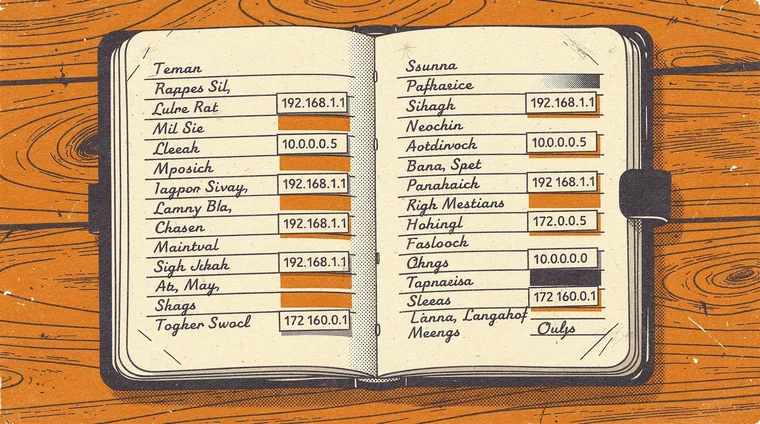
Image: Generated with AI (Epivo)
Did you know?
-
The internet carries over 5 billion gigabytes of data every day. This includes emails, video streams, web traffic, and messages from billions of connected devices worldwide.
Cloudflare — What is the Internet? -
The Domain Name System (DNS) handles approximately 620 billion queries per day globally — one every time a device needs to translate a URL into an IP address.
Mozilla Developer Network — How does the Internet work? -
Wi-Fi transmits data wirelessly using radio waves, while fibre-optic cables — which carry data as pulses of light — can transmit over 100 terabits per second across ocean floors.
Internet Society — How the Internet Works
How data travels and why understanding the internet matters for students
Data travels across the internet through a combination of physical infrastructure and wireless connections. When you send data from your home, it typically travels first by Wi-Fi or Ethernet cable to your home router. The router forwards it to your internet service provider (ISP), which connects to the wider internet through larger networks and, ultimately, through undersea fibre-optic cables that cross oceans.
Wireless connections such as Wi-Fi and Bluetooth cover shorter distances. Cellular data (4G and 5G) connects mobile devices to the internet through a network of radio towers and transmitting stations. Meanwhile, fibre-optic cables — which carry data as pulses of light rather than electrical signals — provide the high-speed backbone of the global internet, including connections between continents.
For students studying computing in grades 6 to 9, understanding how the internet works is a foundation for almost every other topic in the subject. Networking concepts connect directly to cybersecurity (how attackers exploit network weaknesses), to AI (how machine learning models are trained on cloud servers accessed via the internet), and to digital literacy (how content spreads online and why some information reaches more people than others).
The Cloudflare Learning Center and Mozilla's developer documentation are both excellent, free resources for students who want to explore networking in greater depth. Students interested in building on this foundation can also read our article on what is artificial intelligence — which explains how AI systems are trained on data stored and exchanged across this same internet infrastructure, and why understanding how networks function is increasingly relevant in a world where so much computation happens remotely in the cloud.
Image: Generated with AI (Epivo)
Frequently asked questions
- How does the internet work in simple terms?
- The internet is a global network of computers that communicate by breaking data into small packets and sending them to their destination, where they are reassembled. All of this happens in fractions of a second, following agreed rules called protocols.
- What is the difference between the internet and the web?
- The internet is the global network of connected computers and devices. The World Wide Web (the web) is one service that runs on top of the internet — it is the system of websites and pages you access via a browser. Email and file transfers also use the internet but are not part of the web.
- What is an IP address?
- An IP address is a unique number assigned to every device connected to the internet. It works like a postal address — it tells the network exactly where to deliver data. For example, 192.168.1.1 is a typical IP address format.
- What does DNS stand for and what does it do?
- DNS stands for Domain Name System. It works like the internet's phone book — when you type a website address (such as www.example.com), a DNS server translates it into the numerical IP address that computers actually use to communicate.
- How does Wi-Fi connect to the internet?
- Wi-Fi transmits data wirelessly using radio waves between your device and a router. The router is physically connected to the internet via a cable. The router receives data from the wider internet and broadcasts it wirelessly to nearby devices.