
Remove all friction and let the process be your safety net
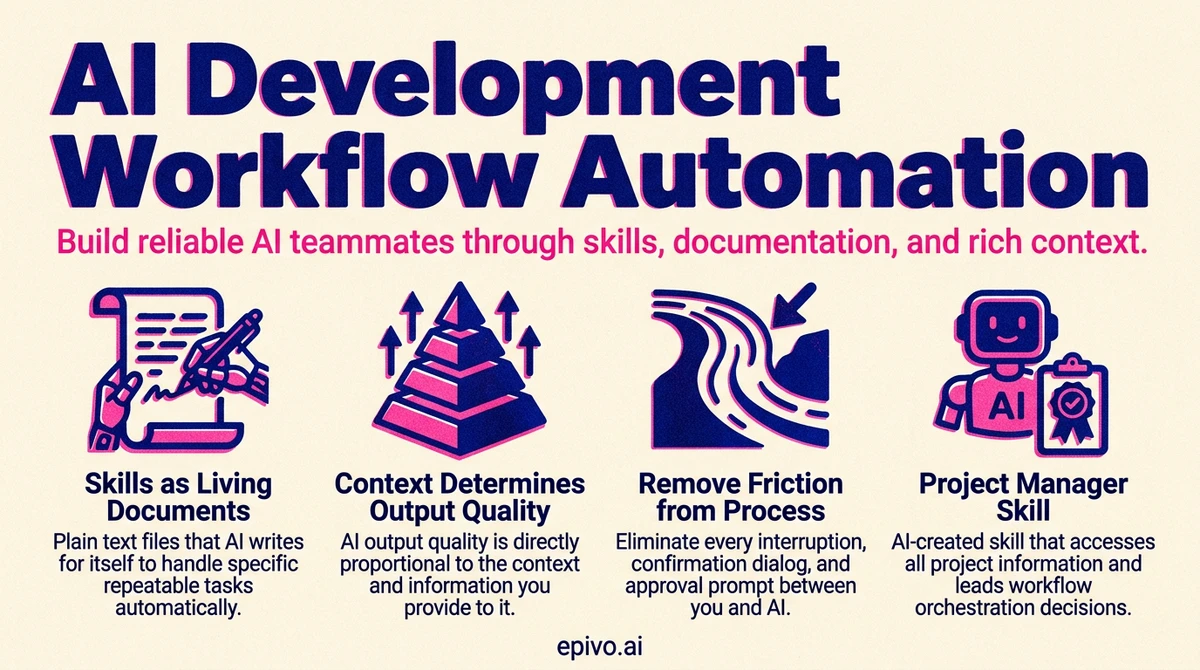
The first step toward genuine ai development workflow automation is eliminating every interruption between you and the AI. Every approval prompt, every confirmation dialog, every "are you sure?" is friction that breaks flow. When you are running five or ten parallel sessions, constant manual approvals make the entire methodology unworkable.
I give my AI assistant extensive permissions by allowing all actions in the settings file. When new approval prompts still appear, I start a fresh session and ask the AI to update the settings file so those prompts never surface again. This is a meta-pattern worth internalizing: use AI to fix AI's own friction.
The natural objection is safety. If you auto-approve everything, what prevents catastrophic mistakes? The answer is that manual approval was never a real safety net to begin with. Clicking "yes" on a prompt you barely read is security theater. Real safety comes from process architecture — change requests that force structured thinking before implementation, review agents that catch errors in proposals, mandatory changelogs that track every modification, and production logging that lets you detect and reverse problems quickly.
This is a fundamental mindset shift. Traditional development treats the developer as the gatekeeper. In AI-driven development, the process is the gatekeeper. You design the gates once, and then you get out of the way. According to Anthropic's research on AI-assisted development, the most productive AI workflows minimize human bottlenecks while maximizing automated verification — exactly this pattern.
The practical result is striking. Instead of babysitting one session, you can manage multiple parallel sessions, each following the same process, each producing reviewed and logged output. The constraint on your productivity shifts from "how fast can I approve things" to "how many concurrent streams can I monitor."
Skills as living documents that compound over time
A skill is just a plain text file that the AI writes for itself. Not code, not a plugin — a text document containing instructions for how to handle a specific repeatable task. When the AI encounters a similar task later, it reads the file and follows its own instructions. You can think of it as the AI creating its own reference manual, one process at a time.
Writing a skill is straightforward — you just ask the AI to save what it learned. The insight that most people miss is when and how to maintain them.
Save the skill before your context fills up. AI assistants have finite context windows. If you spend an entire session developing a complex workflow, perfecting each step through trial and error, and then the session ends without saving that knowledge — it is gone. The next session starts from scratch. I make it a habit to ask the AI whether we should save the current process as a skill while the details are still fresh in context. Waiting until later means reconstructing from memory, which is always worse.
Update skills after every round of testing. Skills are not write-once artifacts. After a round of testing reveals hiccups, I ask the AI to review what went wrong and bake the lessons into the skill. This creates a compounding knowledge loop — each iteration makes the skill more robust. A skill that has been through five rounds of real-world testing and updating is dramatically more reliable than the original version.
The sweeping approach works well here: after a batch of parallel sessions surfaces several issues, ask the AI to look at its recent experiences and update the relevant skills. This single action captures institutional knowledge that would otherwise evaporate.
This pattern transforms ai development workflow automation from something you set up once to something that improves continuously. Every project you build, every bug you encounter, every edge case you discover — all of it feeds back into skills that make the next project faster and more reliable. Over months, the accumulated skill library becomes your most valuable asset. It is, in effect, a codified version of your methodology that any AI session can load and execute.

Creating a skill
Would it make sense to save this into a skill?
Said after a process runs successfully for the first time. Claude decides what's worth capturing and writes the skill itself. If you agree, it's saved. Future sessions load it by name.
Keep centralized documentation alive for AI, not for humans
Most developers maintain documentation reluctantly, and it shows. Docs go stale within weeks because nobody reads them. In AI-driven development, the dynamic is inverted: documentation exists for the AI's benefit, not yours.
Your AI assistant starts every session with limited context about your project. The documentation you maintain — architecture overviews, API references, component inventories, deployment procedures — is what gives it the foundation to work effectively from the first message. Stale docs do not just fail to help; they actively mislead. An AI that reads outdated architecture documentation will make decisions based on a system that no longer exists.
The practical challenge is keeping docs current. I tend to remind the AI frequently to check if documentation needs updating after changes. This is an area where full automation has proven difficult — the process still requires nudging. But the investment pays for itself many times over. A single updated architecture document saves dozens of confused exchanges across future sessions.
Here is what I have found works:
- Project summary documents that describe vision, components, and current state — the AI reads these at session start
- API and schema references that reflect the actual production system, not a planning artifact from months ago
- Deployment procedures that include real commands, real URLs, real credentials references — so the AI can execute them directly
- A changelog that captures every change in reverse chronological order, giving the AI a timeline of what happened and why
The key realization is that documentation quality directly determines AI output quality. As research from Google DeepMind on AI coding assistants has shown, language models perform significantly better when provided with accurate project context rather than relying on general training knowledge alone. If your docs are thorough and current, the AI operates like a team member with full institutional knowledge. If your docs are sparse or stale, the AI operates like a contractor on their first day — technically capable but constantly guessing.

Context is king and determines the ceiling of AI output
This principle extends beyond documentation into every interaction. The quality of AI output is directly proportional to the quality of context provided. This applies to code generation, content creation, analysis, translation — everything.
I learned this viscerally through a translation pipeline. AI translations without proper context were not just mediocre — they were catastrophic. The AI translated marketing copy literally, missed product-specific terminology, and produced text that was technically accurate but commercially unusable. The fix was not a better model or a cleverer prompt. The fix was building an extensive data structure that gave the AI everything it needed: what the company does, what each product is, what page the string appears on, what the purpose of that page is, and what role each UI element plays.
The same principle applies to building software with AI. When you ask an AI to implement a feature, the quality of the result depends on how much relevant context you provide. A bare instruction like "add user authentication" will produce a generic implementation. An instruction that includes your existing auth patterns, your database schema, your API conventions, and your security requirements will produce something that fits your system precisely.
Practical techniques for providing rich context:
- Throw in as much data as possible — files, data sources, existing code, examples of desired output
- Explain the end goal, not just the immediate task — the AI makes better decisions when it understands what you are building toward
- Reference existing patterns — point the AI to how similar problems were solved elsewhere in your codebase
- Share constraints explicitly — budget, performance requirements, compatibility needs, user expectations
The investment in context creation pays exponential returns. Building a rich context document might take an hour. That document then enables hundreds of high-quality AI interactions that would otherwise produce mediocre results. This is one of the highest-leverage activities in ai development workflow automation — and it is one that most people skip because it feels like overhead rather than progress.

Hand off context
Suggest what the optimal checkout flow would be considering our target audience. The project summary document has most info. Let me know if you have any questions. Write a CR and have it reviewed.
Rather than writing a detailed brief, you point to the project summary document and let the AI draw the relevant context from it. This keeps your prompt short while ensuring the AI works from accurate project information — not generic assumptions.
Maintain a mental model of logical flow, not implementation details
Everything I have described so far — skills, documentation, context, process architecture — might give the impression that you can be completely hands-off. You cannot. There is one responsibility that remains firmly with the human: maintaining a mental model of how your system works.
This does not mean understanding the code. I have never read the code my AI writes. I have no idea what format the changelog uses. I could not explain the database migration syntax. What I do understand is the logical flow — how data moves through the system, what components depend on what, how a user action translates to a system response, and what the boundaries between services are.
The mental model is your dissonance detector. When the AI presents a summary of what it plans to do, you read it and check whether it aligns with your understanding of the system. If something feels off — if the AI proposes modifying a component you thought was unrelated, or skipping a step you thought was necessary — that dissonance is a signal. Ask "what do you mean by X?" and probe until the dissonance resolves. Either the AI has a misunderstanding you need to correct, or your mental model needs updating.
This is how a non-coder stays in control of a complex codebase. You do not need to understand the nuts and bolts. You need to understand the logical flow well enough to catch when something does not make sense.
Practical habits that maintain the mental model:
- Read the AI's short summaries of what it plans to do and what it completed — not the detailed output
- React to any dissonance between the summary and your understanding
- Ask the AI to explain how something works whenever a part of the system feels fuzzy
- Update your understanding when the system changes — ask for a brief explanation of what changed and why
The mental model does not need to be precise or technical. It needs to be accurate at the level of data flow and component relationships. If you know that "user signs up, data goes to the database, a confirmation email is sent, and the user appears in the admin dashboard," you can catch it when the AI proposes something that would break any of those connections — without understanding a single line of the code that implements them.
As I wrote about in prompting AI effectively, the human's role is setting criteria and catching misalignment — not micromanaging implementation. The mental model is what makes that possible.

Create a project manager skill and let AI lead you
One of the most powerful skills you can create is a project manager skill — and it changes the entire dynamic of how you work.
Ask Claude: Create a project manager skill that can access all information stores. Then do a brain dump. Everything in your head that needs fixing, building, or deciding — put it all in front of the PM skill. Discuss priorities until it has a clear picture of where things stand.
Then shift roles. Instead of telling AI what to do, ask: "What should we do next?" and "What is the low-hanging fruit?" The PM skill maintains a complete view of what is open and guides you to the next highest-value action.
What should the PM skill track?
- Open CRs and incomplete areas of the solution
- Legal items — privacy policy, GDPR compliance, terms of service
- Production concerns — monitoring, dev-to-prod pipeline, staging, scalability
- Commercial aspects — domain registration, payment service provider, pricing strategy
- Customer signals — paste key conversation excerpts from early leads and potential customers into the skill context
The more context you give the PM skill, the better it leads. This is the inversion that experienced AI builders discover: instead of you directing the AI, the AI directs you. You shift from remembering every open task to reviewing and approving priorities that the PM surfaces.
A solo builder juggling fifteen tasks across code, legal, and commercial will inevitably forget something — usually the compliance work while chasing exciting features. The PM skill never forgets an item, never gets excited about one area at the expense of another, and always considers the full picture. It gives you structure and eliminates the cognitive load of tracking everything yourself.

Frequently asked questions
- What is ai development workflow automation?
- AI development workflow automation refers to the practice of structuring your AI-assisted development process so that repeatable tasks, quality checks, and context loading happen automatically rather than manually. This includes saved skills, living documentation, auto-approved permissions, and process architectures that replace human gatekeeping with automated verification.
- How do skills improve AI-assisted development?
- Skills are plain text files that the AI writes for itself, describing how to handle a specific repeatable task. They eliminate the need to re-explain processes every session, compound in quality through iterative testing and updating, and ensure consistency across parallel sessions. A mature skill library is effectively a codified methodology that any AI session can execute.
- Why is documentation more important in AI-driven development than traditional development?
- In traditional development, documentation is primarily for human onboarding and reference. In AI-driven development, documentation is the primary way your AI assistant understands your project at the start of every session. Stale or missing documentation means the AI operates without critical context, leading to generic or misaligned output.
- How do you maintain control of a codebase without reading the code?
- By maintaining a mental model of the system's logical flow — how data moves, what components exist, and how they relate. You read the AI's short summaries, react to anything that does not match your understanding, and ask for explanations when parts of the system feel unclear. Control comes from understanding architecture and data flow, not implementation syntax.
- Is it safe to auto-approve all AI actions?
- Yes, provided you have proper process architecture in place. Change requests force structured planning before implementation, review agents catch errors in proposals, changelogs track every modification, and production logging enables rapid detection and reversal of problems. These automated gates provide stronger safety than manual approval, which tends to become rubber-stamping in practice.