The four pillars of the methodology
After shipping four production systems without writing code, I have found that the methodology rests on four pillars. Each is essential — miss any one and you cap yourself at a fraction of what is possible.
The Relationship
AI is a colleague you have never worked with. You build a working relationship over time, exactly as you would with a human — learning its strengths, working around its weaknesses, developing intuitions about how to communicate. No tutorial can replace the calibration that comes from sustained daily practice. Running multiple parallel sessions accelerates this dramatically compared to occasional single-session work. The hard-earned learning from practice combined with the methodology is what produces 20–50X output — not theory alone.
The Mindset
Think in goals and processes, not instructions and specifications. Ask questions instead of providing answers. Be humble — there may be a much better way than what you know from the pre-AI world. This is the experience handicap: an expert who prescribes a specific solution gets worse results than a beginner who describes what they need. The beginner who says 'I need monitoring — what is best?' unlocks AI's full knowledge. The expert who says 'set up CloudWatch with these specific alarms' locks it out.
The Control Model
There are two approaches to controlling AI-built software. Approach A: read the code and verify correctness yourself. This caps your speed at 1.5–2X. Approach B: build process guardrails — regression testing, simulated users, AI-based quality audits — and validate output quality instead of inspecting what is inside. Approach B enables 20X speed. You are still responsible for what ships, but you achieve that responsibility through process architecture, not code review.
The Power Model
Give AI as much autonomy as possible over every aspect of the solution. Work via the AI, not alongside it. Build skills and documentation so AI becomes a permanent knowledge layer about your system. The knowledge needs to be in your head too — but as a high-level map of logical flows, not code details. Question everything AI suggests, but always with the goals as the north star.
The sections below show each pillar in practice — how I apply them daily across multiple production systems.
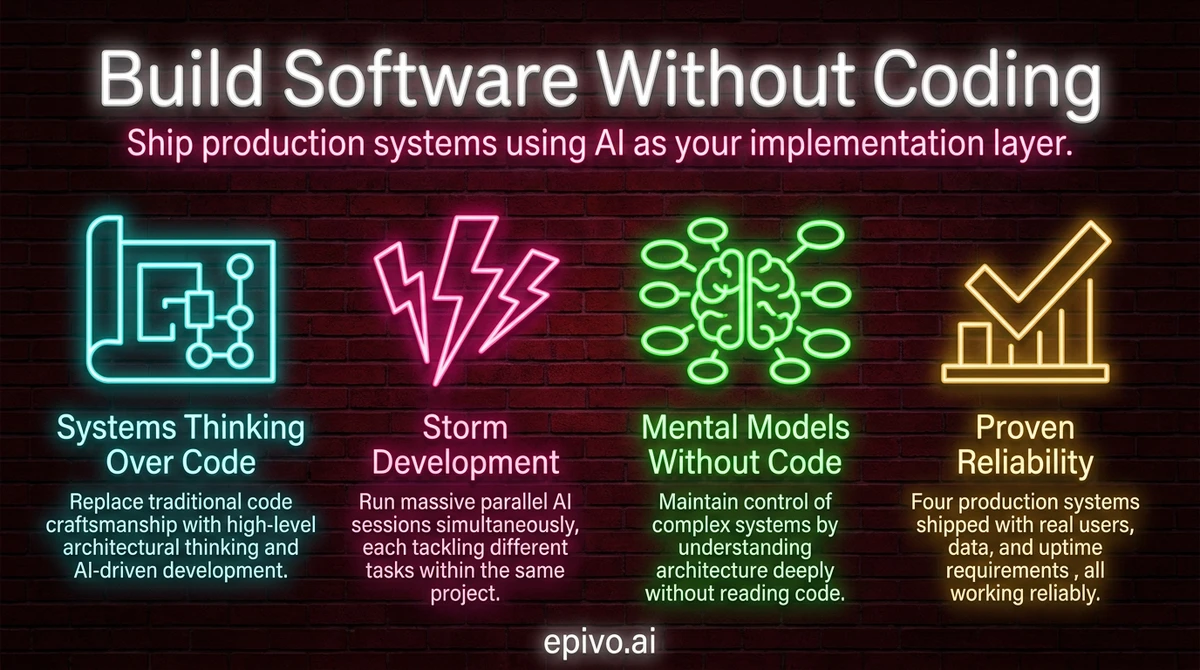
The core shift: systems thinking replaces code writing
Traditional software development treats code as craft. Developers spend years learning languages, frameworks, and patterns. Their identity is tied to writing elegant, hand-crafted code. AI-driven development inverts this entirely. The value is in the outcome, not the artifact.
When you build software without coding, your job is not to write the solution. Your job is to define what needs to exist and why. You think about users, data flow, and system behavior. You think about what happens when things go wrong. You think about how components connect.
This is systems thinking. It is the skill that makes AI-driven development work. You do not need to know Python, JavaScript, or SQL. You need to understand what a backend does, why a database matters, and how information flows through your product.
I never tell the AI which programming language to use. I never specify a framework. I describe the problem, the user, and the outcome I want. The AI picks the technology. And frankly, it picks better than I would — because it has broader knowledge of what tools fit which situations.
Developers often struggle with this approach. Their technical knowledge is an asset, but their control reflex is the bottleneck. Letting go of implementation details feels unsafe. The process architecture is what makes it safe. If you want to understand the dialogue technique behind this, read about the Socratic approach to AI development.

Image: Generated with AI (Epivo)
Getting started: what to install and which plan to get
Three things get you to your first session.
Install VS Code and Claude Code. Download VS Code, add the Claude Code extension from the VS Code marketplace, and create a folder for your project. Alternatively, install Claude Code as a standalone CLI if you prefer working in a terminal. Either way, open your project folder and you have a working environment.
Choose a subscription plan. Claude Pro at $20 per month covers lighter first experiments and gives you access to the same Claude models as higher tiers. Claude Max at $100 per month gives five times the usage capacity — for most people starting out, this is the right tier. Claude Max at $200 per month gives twenty times the capacity and is designed for sustained parallel development across multiple projects. Both Max tiers access identical models; the difference is purely usage volume.
One account is enough to start. The 2–3 accounts described later in this article apply to storm development — periods of intensive parallel output. Until you are there, one account is the right setup.
Start with something small. Not a full product. A single feature, a single tool, a single workflow automation. The methodology clicks faster on a bounded problem than on an open-ended one, and the skills transfer once they click.

Image: Generated with AI (Epivo)
The setup: Claude Code and scaling with multiple accounts
My primary tool is Claude Code, which I run as a VS Code plugin. Many people prefer the standalone CLI — both work. Each project lives in its own VS Code window pointing at a folder on my laptop.
Within each window, I run 1–10 chat sessions in parallel on the same project. Each session tackles a different task. To handle rate limits during heavy work, I maintain 2–3 Claude Max subscriptions and rotate between them using the account switcher. With three accounts, I have capacity equivalent to 20–50 developers.
One account is enough for normal work. Multiple accounts are for what I call storm development — periods of massive parallel output. The monthly cost is a fraction of a single developer salary, and the speed is something no team of any size can match.
The key technical decisions — which database, which hosting platform, which frontend framework — are all made by Claude. I state my objectives, constraints, and budget. Claude recommends the right stack. I ask Socratic questions to validate: what are the tradeoffs? Will this scale to X users? But I trust its technical judgment over my own instinct. Across four projects, this approach has produced Flask backends, Next.js websites, React dashboards, and a native Kotlin mobile app — all chosen by AI, all running in production.
Image: Generated with AI (Epivo)
Storm development: massive parallelism in practice
Once a project's core architecture is up, I shift into storm development. I open many parallel chat sessions in the same VS Code window, each tackling a different task. Each session gets a short directive: "Fix this bug. Follow the process." or "Build the export feature. Follow the process."
Each session operates at the speed of roughly five developers. The key constraint is that parallel sessions should not work on the same file, to avoid merge conflicts. Beyond that, the parallelism is limited only by how many accounts you have and how many tasks you can define.
My role during storm development is pure oversight. I wander between windows and projects, reading short summaries of what each session plans to do. I react to anything that feels off — any dissonance between the summary and my mental model of the system. If something sounds wrong, I ask: what do you mean by that?
This is the scaling pattern. One person managing 3–5 projects simultaneously, each with multiple active sessions, all moving forward in parallel. The human role is monitoring, not implementing. I built a complete website rebuild with API integrations in about five days using this approach. A previous template-only redesign by a single developer had cost 250,000 SEK. The difference is not marginal — it is a category change.
One practical detail that makes this work: Claude writes the code for your interfaces but has never seen them rendered. Pasting a screenshot is often the first time Claude sees what it actually built. This tends to make the dialogue unusually efficient — share the image, say 'this doesn't look right', and Claude immediately understands what needs fixing without further explanation.

Image: Generated with AI (Epivo)
Storm session opener
Chat 1: [pastes screenshot] "Doesn't look good. Make it more elegant. Follow the process." Chat 2: [pastes screenshot] "Move nav to the left. Keep it minimalistic. Follow the process." Chat 3: "I want to see how much the cost for AI usage is per user and event, and in total per day, week and month. Allow filter by country of user. Add this as a new cost analytics page under Admin in the left nav. Follow the process." Chat 4: [pastes screenshot] "Make it possible to sort the list on any column. Follow the process."
Pasting a screenshot replaces a paragraph of description. Claude reads the visual and understands exactly what needs fixing — no lengthy explanation needed.
Maintaining a mental model without reading code
If you do not write or read code, how do you stay in control of a complex system? The answer is your mental model.
It is critical to have a high-level understanding of every corner of the system you are building — in your head. Not the nuts and bolts. Not variable names or function signatures. The logical flow. How data enters the system, where it gets stored, how it gets processed, and what the user sees at the end.
I read Claude's short summaries of what it plans to do before it does it. When something feels off — when there is dissonance between the summary and my mental model — I stop and ask questions. This is the critical human responsibility. You are the dissonance detector.
When part of the system feels fuzzy, I ask Claude to explain how it works. Not at code level, but at system level: what happens when a user submits this form? Where does that data go? What triggers the notification? This keeps the mental model sharp without ever reading implementation details.
The process architecture handles everything else. Automated reviews catch bugs in proposals before they become code. Changelogs track every change. Regression tests verify nothing broke. You do not prevent errors by reading every line — you prevent errors by having systems that catch them. For more on building these guardrails, see the guide on process architecture for AI builders.

Image: Generated with AI (Epivo)
It works — and it rarely breaks things
The question everyone asks: does this actually produce reliable software?
Yes. It does. Across four production systems with real users, real data, and real uptime requirements, the methodology delivers. It does not break things. It is extremely rare that something breaks.
Occasionally, in very long sessions of five or six hours, there can be some drift. But this is manageable and uncommon. The guardrails — change requests, spawned review agents, automated testing — catch problems before they reach production.
Here is the track record. A SaaS tutoring platform with a mobile app, backend API, admin dashboard, and curriculum system. A corporate website with 11,800 content pages translated to 13 languages. A financial operations platform automating eight major accounting processes. A call recording and business intelligence system shipped as a complete proof of concept in seven days.
None of these involved me writing code. All of them are in production. The proof is in the pudding: if something goes wrong, I investigate why. I do not prevent errors by reviewing every line. I prevent errors by having systems that catch them.
The economics are equally clear. The cost of three Claude Max subscriptions is $600 per month. A single mid-level developer in most markets costs $8,000–15,000 per month. The output from this methodology exceeds what a mid-sized development team can produce. This is not a marginal improvement. It is a fundamental shift in how software gets built.
If you want to build software without coding, the starting point is not learning a programming language. It is learning to think in systems, communicate with AI effectively, and build the process architecture that keeps everything reliable. The tools exist today. The methodology works. The only barrier is the willingness to approach software differently.

Image: Generated with AI (Epivo)
Frequently asked questions
- Do I need any technical background to build software without coding?
- No programming background is required. What matters is systems thinking — the ability to reason about how components connect, how data flows, and what the user experiences. Domain expertise, product sense, and clear communication are more valuable than technical skills when working with AI.
- What tools do I need to get started?
- Install VS Code and the Claude Code extension (or the standalone Claude Code CLI). For your Anthropic plan: Claude Pro at $20/month covers first experiments. Claude Max at $100/month (5× usage) is the right starting tier for regular building. Claude Max at $200/month (20× usage) is for intensive parallel development with multiple sessions. Both Max tiers access the same models — the difference is only usage volume. For deployment, Claude will recommend hosting platforms based on your project — typically $7–25/month for a starter project.
- How do I know the code AI writes is reliable?
- You build process architecture around the AI: change requests force structured planning before implementation, spawned review agents catch errors in proposals, automated regression tests verify nothing broke, and mandatory changelogs track every modification. You replace manual code review with automated quality systems.
- Can this approach handle complex, production-scale software?
- Yes. The methodology has produced multi-service production platforms including backend APIs, mobile apps, admin dashboards, and systems processing real financial data. The key is process architecture — the same governance patterns (CRs, reviews, automated testing) that keep large traditional codebases healthy.
- What is storm development?
- Storm development is the practice of running many parallel AI sessions on the same project, each tackling a different task simultaneously. With multiple Claude Max accounts, one person can manage the equivalent output of 20–50 developers. The human role becomes pure oversight: reading summaries, catching dissonance, and answering questions when asked.